The best way to code with Claude.
A fork of T3 Code with full Claude Code and Codex support. Available for macOS, Windows, and Linux.
Why "Gurt"? T3 Code → T3 Co:de → T3 Yo:gurt → T3 Gurt. Yes, it's the yo:gurt meme.
Built entirely with Claude Code by David Ilie, zero manual edits, no issues — Claude did it.
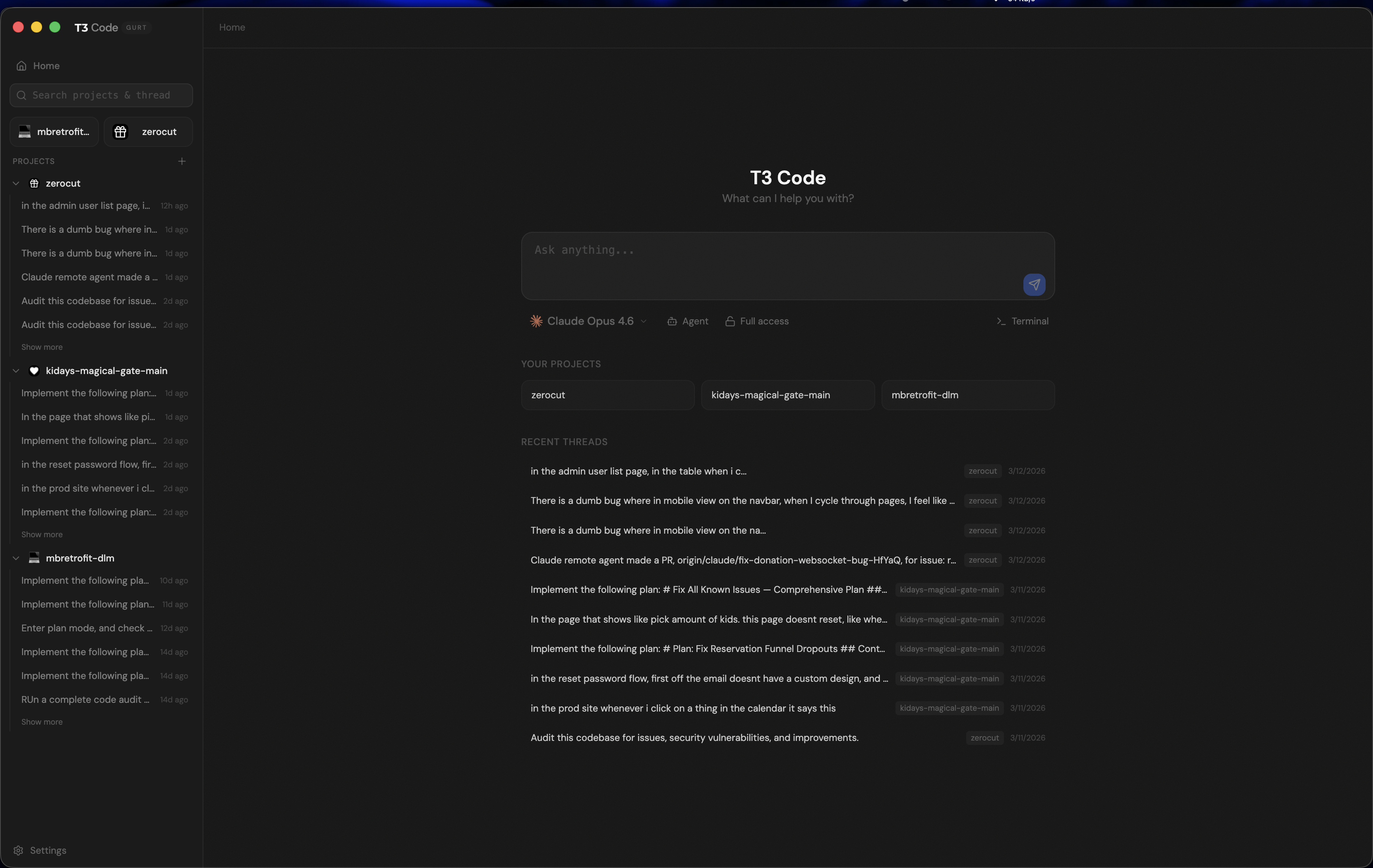
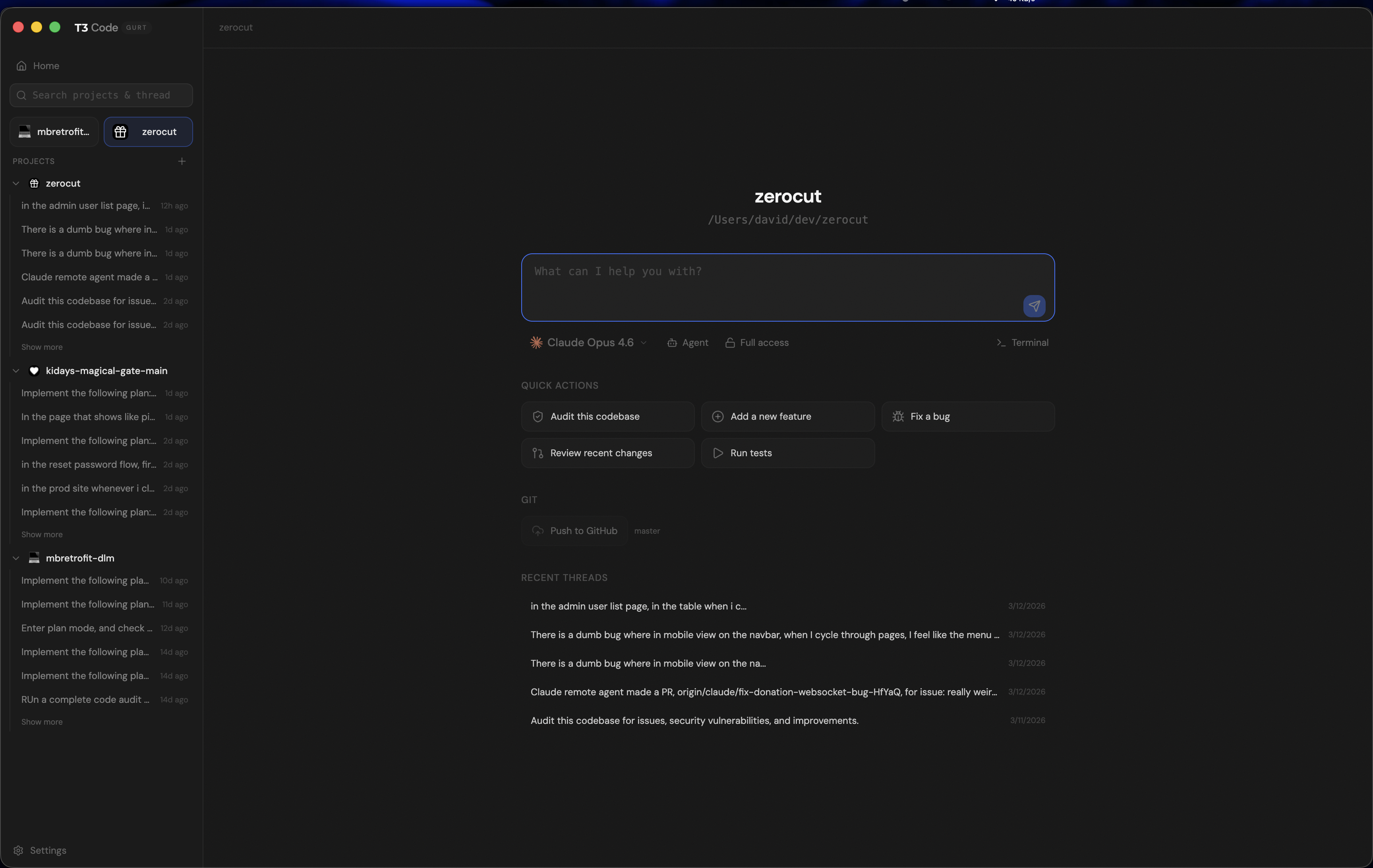
Project Dashboard
Quick actions, recent threads, git integration, and multi-project management at a glance.
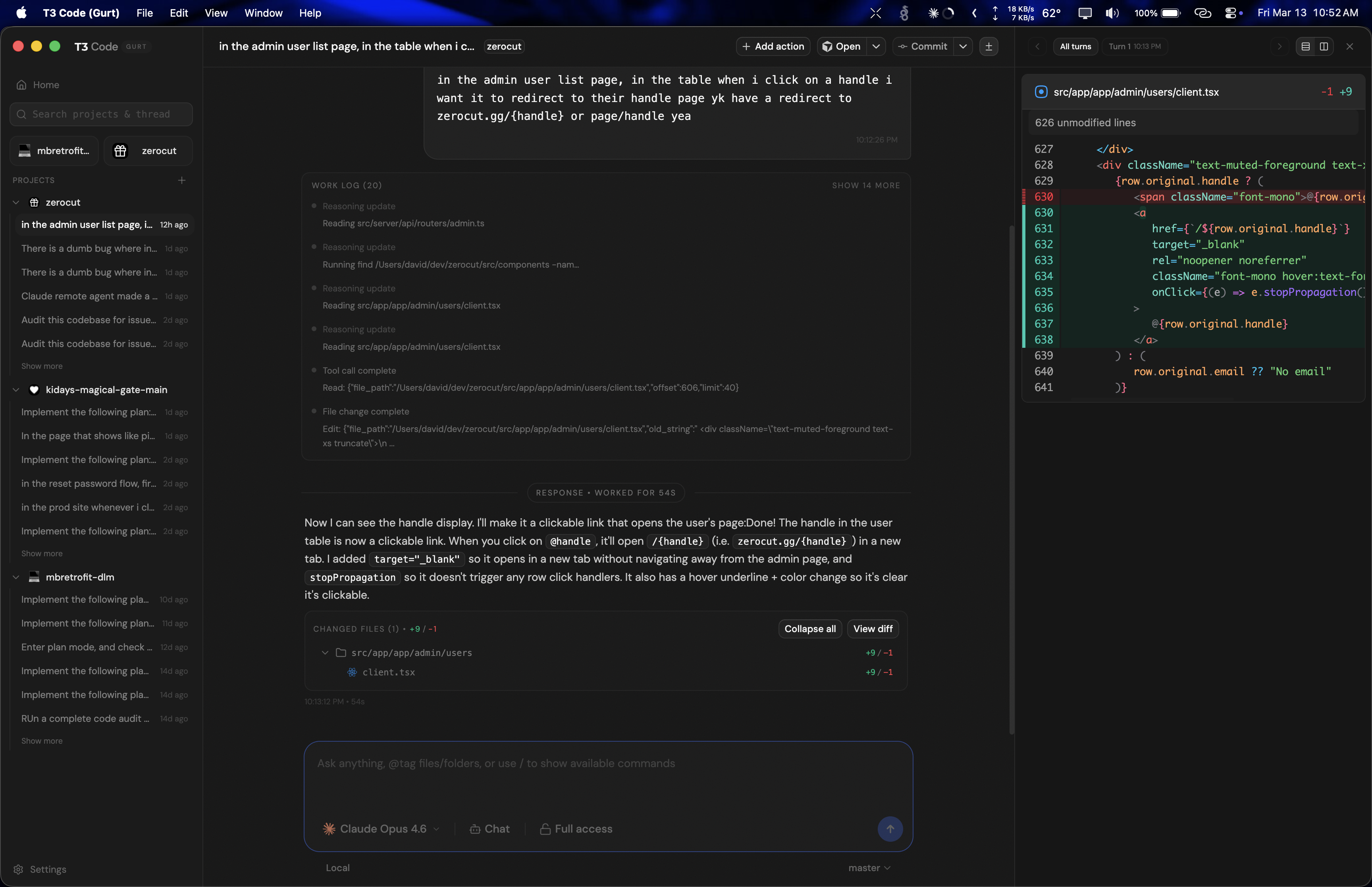
Conversations & Diffs
Chat with Claude Code or Codex and review code changes inline with the built-in diff viewer.

Integrated Terminal
Full terminal access within each project workspace. Split terminals, run commands, and watch your agent work.
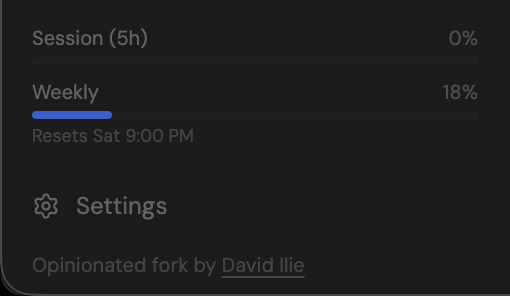
Claude usage tracking, built in.
See your Claude session and weekly usage at a glance. Rate limit tiers, reset times, and plan info — all in the sidebar without leaving your workspace.
- Session and weekly usage bars
- Rate limit reset countdown
- Works with Claude Max, Pro, and Team plans
Why T3 Gurt?
Everything in T3 Code, plus:
Full Claude Code support
First-class Claude Code adapter with image attachments, thinking mode, and the Claude Agent SDK.
Usage stats
Real-time Claude usage tracking with session, weekly, and daily tiers in the sidebar.
Clone from home page
Paste a git URL on the home screen and start working. Configurable working directory.
Image attachments for Claude
Paste screenshots and diagrams into the chat — they're sent as base64 image blocks to the Claude SDK.
Git history browser
Browse commits, view diffs, search by date — all from a built-in panel without leaving the app.
SVG upload protection
SVG files are blocked at upload to prevent XSS — a security fix not in the upstream.
Everything you need, built in.
Command Palette
Press Cmd+K to quickly navigate between projects, threads, and actions.
Plan Mode
Switch between chat and plan mode. Have your agent draft a plan before executing, with a dedicated sidebar to track progress.
Supervised Mode
Toggle between full-access and approval-required modes. Review and approve each action before the agent executes it.
Git History
Browse commit history, view diffs for any commit, and manage branches — all without leaving the app.
Commit, Push & PR
Commit with AI-generated messages, push to remote, and create pull requests — one click from the toolbar.
Worktree Isolation
Run each thread on its own git branch in an isolated worktree. Work on multiple tasks in parallel without conflicts.
PR Review Threads
Check out any pull request into a thread with full context. Review, discuss, and iterate on PRs inside the app.
Project Scripts
Define custom scripts per project with keyboard shortcuts. Run builds, tests, and linters from the toolbar.
Checkpoints & Revert
Every turn creates a checkpoint. View per-turn diffs and revert to any previous state if something goes wrong.
Custom Keybindings
Fully customizable keyboard shortcuts. Remap any action or add chord bindings to match your workflow.
Themes
Light, dark, and system-aware themes. The terminal, diff viewer, and UI all follow your preference.
MCP Support
Full Model Context Protocol integration. Connect external tools and data sources to your agent sessions.
Image Attachments
Paste or drag images directly into the composer. Send screenshots, diagrams, and mockups to your agent.
Auto Updates
Automatic update checks with one-click install. Always stay on the latest version without manual downloads.